Process · Cyanotype
Calibrate your cyanotype without wasting three months of paper.
25-patch negative target, the 24 h oxidation respected, an `.acv` curve you can load in Photoshop or Affinity Photo. Fifteen minutes of measurement for blue prints that hold from one session to the next.
Article vérifié par Tristan Sidem + Raphaël Lebas de Lacour
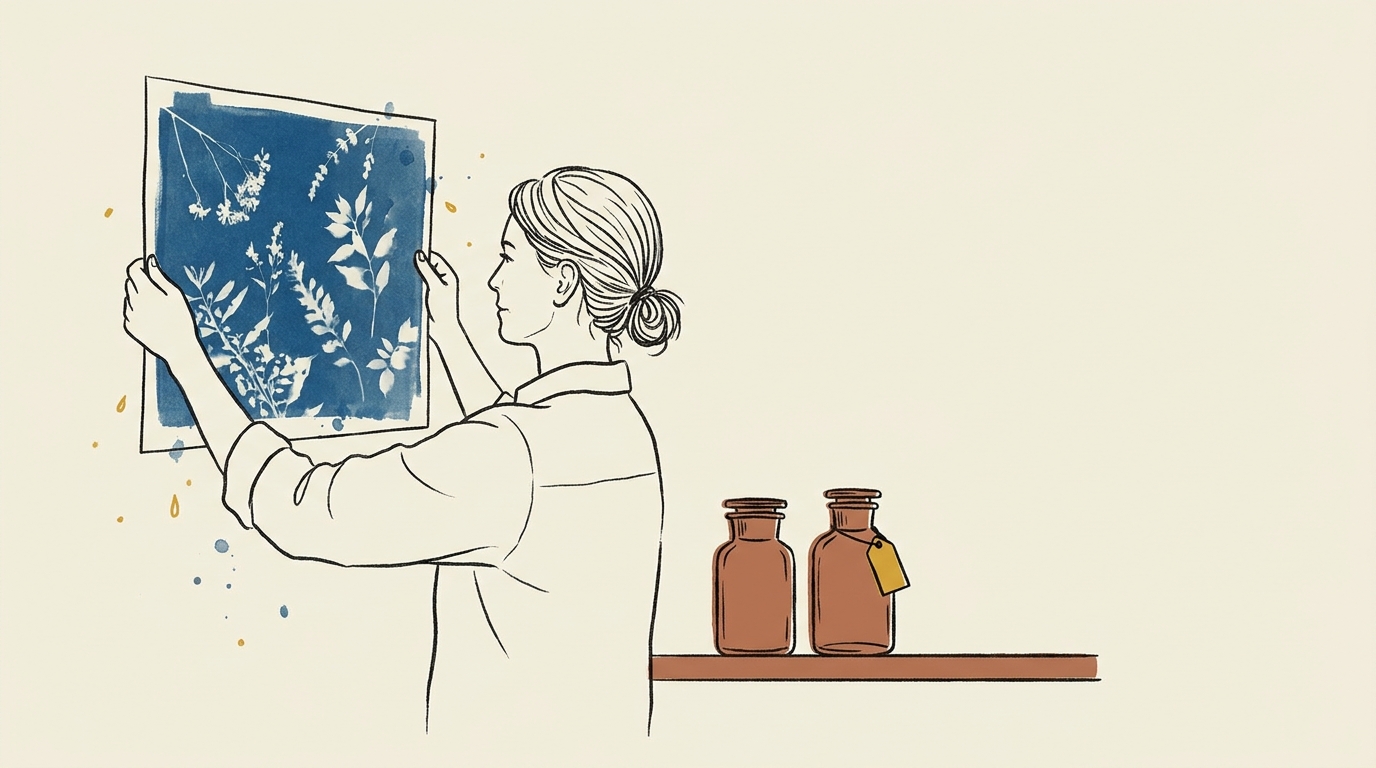
Le problème
Recognise this?
- 01
Shadows blocked to midnight blue
The dense zones of the negative go solid, with no detail. No readable transition in the deep shadows.
- 02
Crushed highlights
The lightest patches turn to clean white or very pale blue; highlight detail vanishes in the rinse.
- 03
Drift from one print to the next
Same negative, same exposure time, two prints apart in time — different results. Without a curve, the tonal chain isn't reproducible.
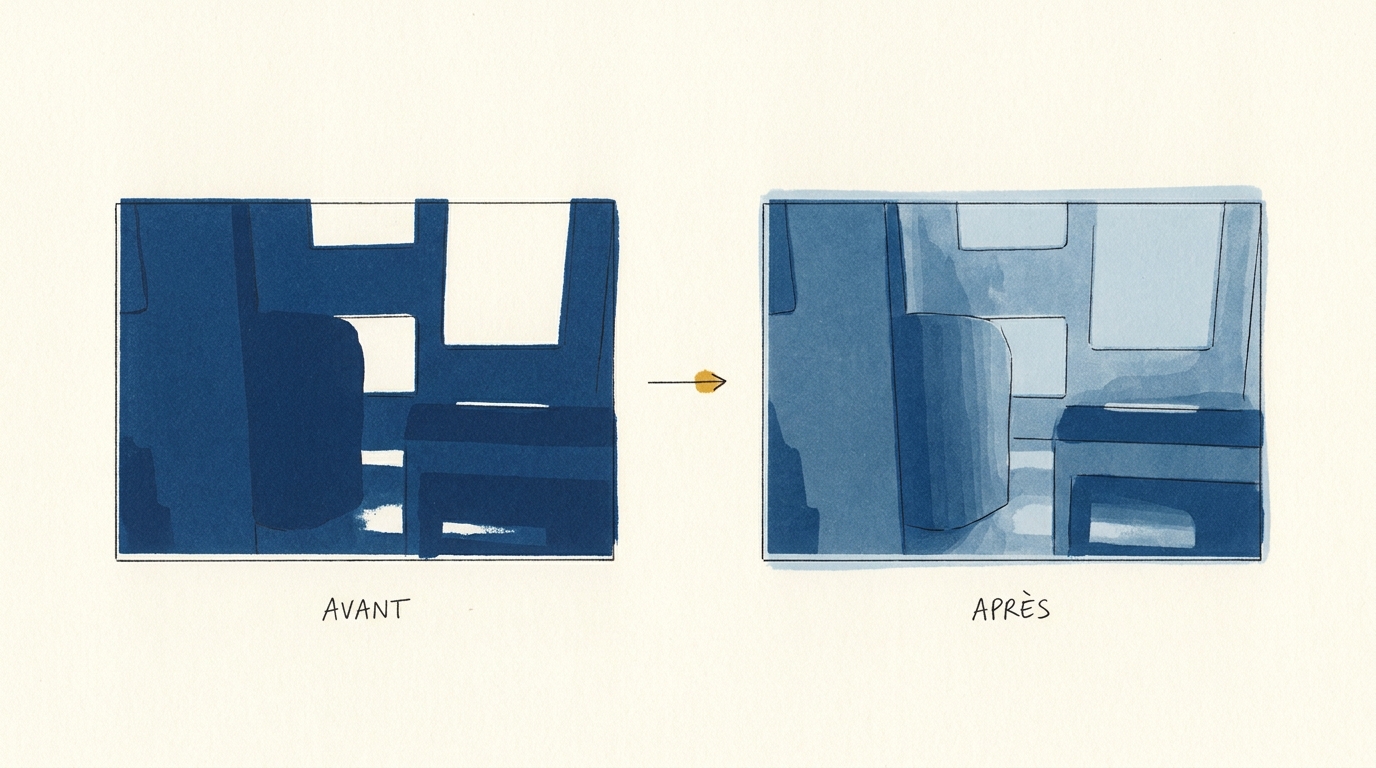
La différence sur un tirage cyanotype
Le même fichier source, tiré sans calibration à gauche, calibré avec Calibration Flow à droite. Tu vois directement comment la calibration libère la plage tonale complète de ton procédé cyanotype.
Spécificités du procédé
What makes cyanotype singular to calibrate.
Cyanotype is a negative-target-polarity process: the image printed on inkjet transparency is a negative, like the source image of the final print. This is the convention for every contact-exposure alt-process (except resinotype) — see the full rule in the manual.
Its chemistry is simple to mix but slow to read: potassium ferricyanide + ferric ammonium citrate, in stable proportions. After UV exposure and an acidified-water rinse, the print looks blue-green and deceptively light. You have to wait for the Prussian blue oxidation to stabilise — about 24 h away from light — before reading any target. This is non-negotiable: measuring at 1 h produces a curve consistently off by 8 to 12 % in the highlights compared with the final print.
The typical Dmax is 1.4 on Arches Aquarelle 300 gsm satin grain, a neutral-pH cotton paper. You can reach 1.55 on Hahnemühle Platinum Rag, but standard cyanotype chemistry tops out there — that’s a physical limit of the process, not a calibration flaw. Avoid alkaline-buffered papers: their carbonate reserve eats the Prussian blue during washing and makes the calibration unstable.
Lire en détail dans le manuel
Référence externe : Wikipedia
Génère ta mire cyanotype maintenant
Mire 25 patchs (grille 5×5 + dégradé continu), paliers d'environ 4.2 % d'intensité, échelle L* CIELAB. Polarité négative (correspond à ce procédé). Télécharge, imprime sur transparent jet d'encre sans gestion de couleur, insole sur ton papier sensibilisé.
Version téléchargée en 1680×1410 px, adaptée à un tirage standard. Pour des dimensions et un nombre de patchs personnalisés, utilise la fonction mire sur mesure de l'app, débloquée avec le code Luminograph.
Mire générée par le même algorithme que l'app (fonction generateSingleMire). Échelle de mesure : luminance perceptuelle L* CIELAB.
Workflow en 3 étapes
Mire, insolation, courbe.
Print the 25-patch negative target
5 × 5 target in negative polarity (cyanotype convention), printed on inkjet transparency with color management off. Target densities set by the app according to your DPI.
Expose and develop your reference print
UV contact exposure, acidified-water development, flat drying. 24 h oxidation is mandatory before reading — otherwise the blue isn't stabilised.
Photograph the target and export the .acv
iPhone or Web capture, automatic L* reading, manual validation of outlier patches. One-click Adobe `.acv` export, ready for Photoshop or Affinity Photo.
Ajuste la courbe en direct
Calibration Flow corrige n'importe quelle réponse non-linéaire avec trois sliders. Pas de point à dessiner à la souris, pas de Bézier à manipuler. Joue avec les valeurs ci-dessous et vois immédiatement l'effet sur la courbe et sur le rendu tonal cyanotype.
Entrée 0–255 ↔ Sortie 0–255
Seuil d'entrée minimum. Tout ce qui est en dessous devient noir pur.
Seuil d'entrée maximum. Tout ce qui est au-dessus devient blanc pur.
Courbure des tons moyens. 1,00 = linéaire, < 1 = mid-tones sombres, > 1 = mid-tones clairs.
Dégradé source (avant correction)
Dégradé corrigé (après application de la courbe)
Cette démo applique une formule simple (points noir/blanc + exposant gamma) pour l'illustration. L'app utilise en plus un lissage par LOWESS robuste + PCHIP monotone qui arrondit les transitions sans créer d'artefacts. Tu exportes ensuite un fichier .acv chargeable dans Photoshop ou Affinity Photo en deux clics.
Preuve d'autorité
Pourquoi nous faire confiance.
« Cyanotype forgives a lot, except believing it can be read at 1 h. The curve you draw the evening of the rinse is never the one of the stabilised print. That temporal step is what Calibration Flow encodes into its flow: the reader won't allow measurement before the oxidation delay. »
Références techniques
- Christopher James — The Book of Alternative Processes (chapters 6-7 on cyanotype and its variants)
- Bostick & Sullivan — cyanotype chemistry product sheets
- AlternativePhotography.com — English-language practitioner reference
Signé
- Tristan Sidem — founder of Calibration Flow + Vision Picturale
- Raphaël Lebas de Lacour — co-founder of Vision Picturale
Accès & tarif
Essayer Calibration Flow.
Web
Free with account
- Target, Curve, Negative and Library features active
- Free sign-up in two clicks via a Picturale account
- No credit card required
iOS
€9.90/month
- One-month trial included
- iPhone-optimised capture
- Cross-device sync via the Web app
Code Luminograph
1 year of Pro included
- Shipped with a Luminograph purchase from Vision Picturale (€449 A4 / €699 A3+)
- One year of Pro Mode, then reverts to free
- Extended quotas and 5 GB of cloud storage
Comparatif honnête
Calibration Flow face aux alternatives.
| Dimension | Calibration Flow | QuadToneRIP | PiezoDN | Méthode manuelle |
|---|---|---|---|---|
| Hardware | iPhone or Web | Dedicated printer | Printer + cartridges | Densitometer |
| Learning curve | ~15 min | ~2 days | ~1 week | Variable |
| Entry price | €0 (free) | ~$50 | ~$300 | ~€400 |
| .acv output | Native | No | No | Draw by hand |
| Mobile | ✓ | — | — | — |
Quand choisir un autre outil
QuadToneRIP stays unbeatable if you drive a dedicated K7 monochrome printer, with a fixed workflow and the time to learn its flow. PiezoDN wins if you move to dedicated pigment cartridges and want the absolute precision of a closed chain. CF fits when you want a short, mobile cycle and an `.acv` curve you can load in a mainstream app.
FAQ
Cyanotype practitioner questions.
- Nine times out of ten it's the chemistry, not the curve. A cyanotype turning purple points to excess ferricyanide or an alkaline paper eating the Prussian blue during washing; a cyanotype coming out pale green points to clear underexposure or too short a rinse. Before trying to fix it by recalibrating, check: correct ferricyanide / ferric ammonium citrate ratio, acidic or neutral paper (pH < 7), running-water wash for at least 10 minutes, flat drying away from light, 24 h oxidation before the final reading. If the drift persists after these checks, then yes — recalibrate, but with paper from the same batch as your production stock.
- Calibration Flow's 5 × 5 grid isn't trying to reproduce an existing Stouffer standard. It's sized for iPhone reading: 25 patches fit a scannable zone in a single frame, with roughly 4 % steps between neighbouring patches — enough to drive a 16-point `.acv` curve without over-densifying the target. A 21-step wedge remains usable by hand, and it's downloadable in our free tools.
- Yes. Prussian blue oxidises slowly after rinsing: at 1 h the print is blue-green and misleading; at 24 h oxidation has stabilised and the reading becomes reliable. If you measure at 1 h, your curve will be consistently off by roughly 8 to 12 % in the highlights compared with the final print. This is the number-one cause of cyanotype curves that seem not to hold from one session to the next.
- Not directly — Lightroom doesn't import the `.acv` format. There are three honest workarounds: apply the curve in Photoshop on a virtual copy, export a Photoshop preset converted to a LUT, or use Affinity Photo, which reads `.acv` natively. The dedicated Lightroom workflow page details all three methods. For Photoshop and Affinity Photo, the `.acv` opens in two clicks from the Curves panel.
- Arches Aquarelle 300 gsm satin grain remains the practitioner reference (measured Dmax 1.4, neutral pH, cotton fibre). Validated alternatives: Hahnemühle Platinum Rag (pricier, very clean tonal range), Fabriano Artistico (less consistent batch to batch). Avoid heavily buffered papers — their alkaline reserve eats the Prussian blue during washing and destabilises the calibration. Maison Picturale keeps a selection of papers already tested for cyanotype.
Écosystème Picturale
Calibration Flow ne travaille pas seul.
Vision Picturale · Kit chimie
Complete cyanotype kit
Ferricyanide + ferric citrate, cotton paper, pre-measured pods.
Voir sur Vision PicturaleMaison Picturale · Papier
Custom cyanotype prints
Maison Picturale prints your image in cyanotype in its Paris studio. Useful if you want to see a reference print before calibrating your own.
Voir sur Maison PicturaleNOEME · Formation
Cyanotype module
Structured long-form course, from sensitiser to stabilised final print.
Voir sur NOEME
Calibrate your cyanotype before the next sheet of paper.
Free with sign-up on the Web version, all Pro features, no credit card required.
Try it free — no credit card