Process · Carbon
Calibrate your carbon print — mono or colour, down to the deepest blacks.
One curve for monochrome, four CMYK channels for colour — registration marks included. Pigmented-gelatin transfer, characteristic matte bas-relief.
Reviewed by Tristan Sidem + Raphaël Lebas de Lacour
Le problème
Sound familiar?
- 01
Registration drifting layer to layer
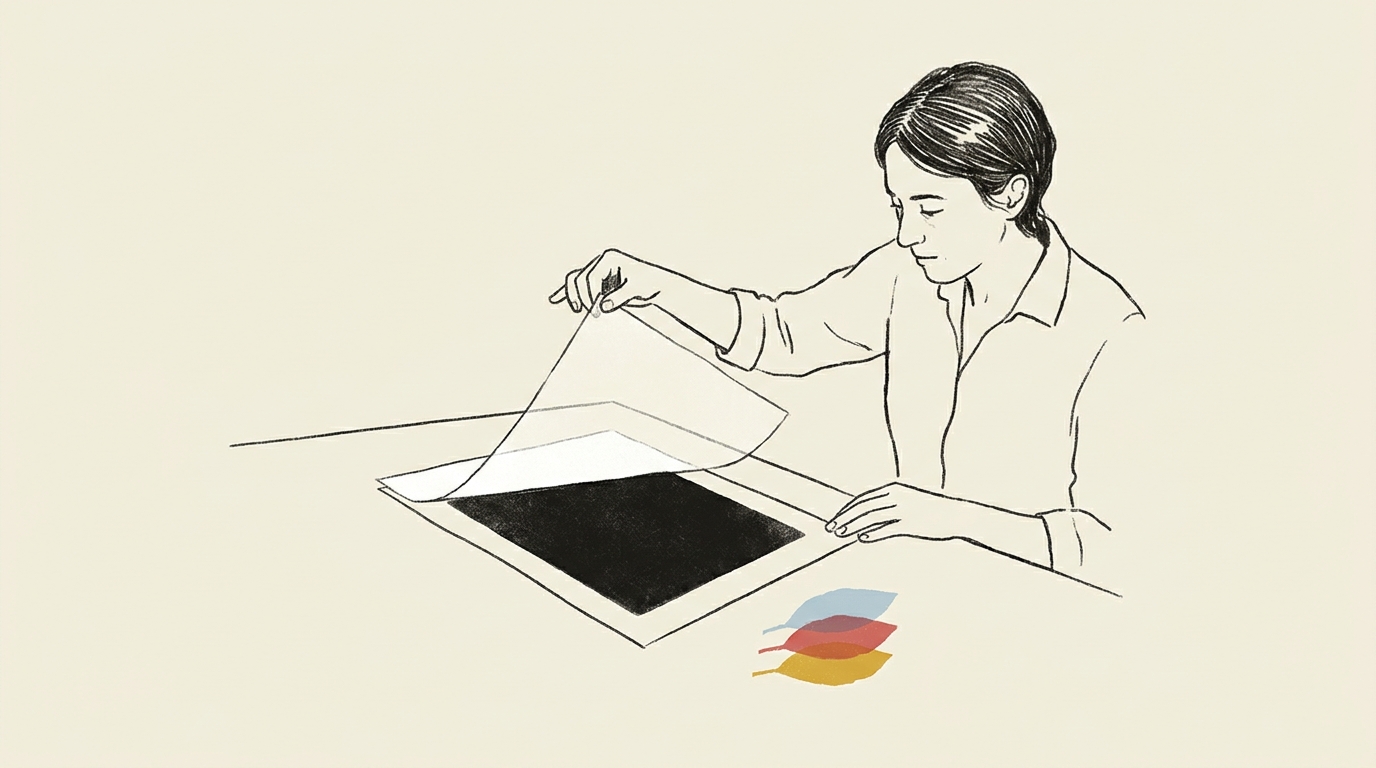
Up to four gelatin transfers in colour means as many sources of positioning error. Without well-aligned registration marks, the print blurs at the boundaries between colours.
- 02
One misjudged channel swallowing the others
An over-pigmented cyan smothers the magenta, yellow or black laid down next to it. The curve has to weight each channel separately, not the stack as a whole.
- 03
Blacks that stay grey
Without channel-by-channel calibration, carbon falls short of the deep blacks it can actually produce.
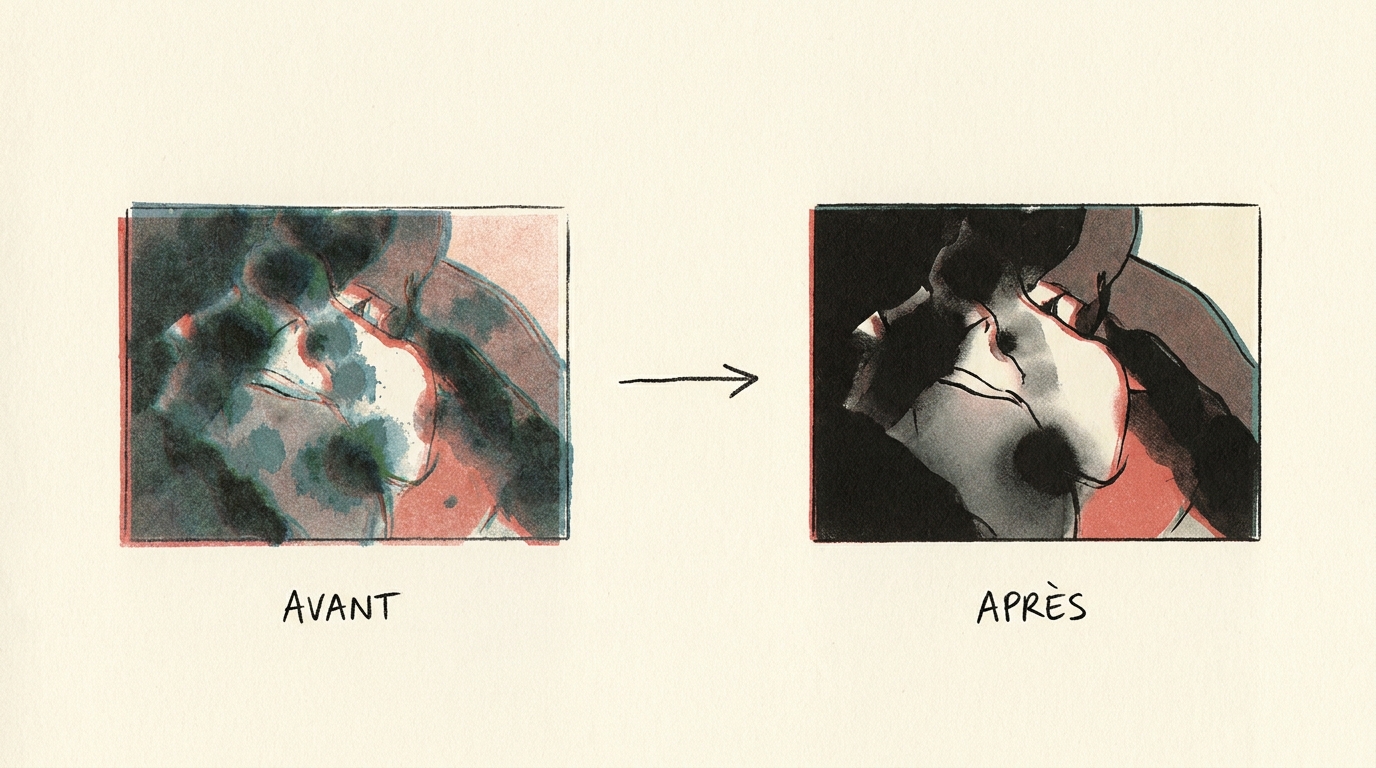
The difference on a carbon print
The same source file, printed without calibration on the left and calibrated with Calibration Flow on the right. You can see how calibration frees the full tonal range of your carbon process.
Spécificités du procédé
Pigmented gelatin, transfer, matte bas-relief.
Carbon (carbon transfer) transfers a layer of pigmented gelatin sensitised to UV — traditionally with potassium dichromate, a CMR (carcinogenic, mutagenic, reprotoxic) substance that calls for serious precautions. After contact exposure, the gelatin is developed in hot water then transferred from a temporary support onto the final paper — hence the characteristic matte bas-relief finish and some of the deepest blacks in alternative printing.
Monochrome, or CMYK colour — never CMY-only. With Calibration Flow, monochrome carbon is calibrated with a single curve, like any process. In colour, the app has no CMY-only trichrome mode: it always generates four channels — cyan, magenta, yellow, black — each with its own curve and its own registration marks.
Registration is critical: up to four successive transfers demand precise alignment on crisp edges. Calibration Flow prints its registration targets in reserve rather than as thin crosses — a solid pigmented disc stays visible under stacked layers where a fine-line cross would not.
At Vision Picturale, carbon is still a work in progress: the Charbon Mono kit is in production, with no price or buy button yet, since its chemistry isn't finalised. For colour pigment printing today, the Aquaprint kits are the route — what Vision Picturale calls "the perfect middle ground between gum bichromate and carbon printing: the pictorial texture of gum, the depth of carbon, without dichromate." Maison Picturale, for its part, prints carbon on request from its Paris workshop.
Target polarity: negative, like all contact-exposure processes (except resinotype). Each negative is printed with its own curve from a 21-step or 25-patch target specific to that channel — a deep black does not respond like a light yellow.
Lire en détail dans le manuel
Référence externe : Wikipedia
Generate your carbon target now
25-patch target (5×5 grid + continuous gradient), equal steps of about 4.2 % in grey value, from white to black. Negative polarity (matches this process). Download, print on inkjet transparency with colour management off, expose onto your sensitised paper.
Downloaded file at 1680×1410 px (300 dpi), free, no sign-up. In the app, a 25-step grey grid and its gradient print straight onto a corner of your negative (Target → Show the target tab) and get the same curve as the image.
Target computed like the app’s: evenly spaced grey steps and a continuous gradient. On a scan, the app reads each step as perceptual lightness, L* (CIELAB).
Generate the Color Venn chart for carbon
The Color Venn chart stacks three circles, cyan, magenta and yellow, blended in multiply. Seven zones appear: pure C, pure M, pure Y, CM (blue), CY (green), MY (red) and CMY (composite black). Instead of measuring each pigment on its own, you measure the overlaps directly — what a CMYK (4 layers + composite black) print really is.
Free, no sign-up: the file is computed in your browser, as an A4 PNG at 300 DPI; it never leaves your device.
The 7 zones to measure
- C — pure cyan
- M — pure magenta
- Y — pure yellow
- CM — blue overlap
- CY — green overlap
- MY — red overlap
- K — triple overlap, composite black
Why this chart
If you calibrate each pigment on its own with a grey chart, you learn nothing about the composite black or about drift in the overlaps. The Color Venn tells you in a single chart, so your calibration reflects the final print.
Registration in carbon: four targets and one key
When you print several layers on the same sheet, every negative carries the same marks in the same places: a target in each corner, an orientation key at the top right, and in the margin the density wedge of its own layer. You lay the next negative so that its targets land exactly on the ones already printed. Here the cyan layer is printed and the magenta negative sits on top: shift it or turn it to see what you would see through a loupe.
The whole sheet
✓ Registered: the branches of both targets sit exactly on top of each other.
✓ Both keys overlap at the top right: the negative is the right way round.
- Target
- A ring and eight branches, cut out in white from a solid disc of ink. Solid rather than a thin line: even in yellow, as the first layer printed, it stays visible enough to register the next one. Precision is read where the branches cross.
- Orientation key
- Top right, a ring with a solid dot and no branches. One odd corner is enough: if the sheet is flipped or turned around, the keys no longer land on each other.
- Margin wedge
- One density wedge per layer, in the margin and never on the image, labelled with its letter. The app uses the French initials: C, M, J (yellow), N (black). The wedge gets the same curve as the image, so a scan tells you whether that layer was exposed correctly.
- Where to turn it on
- In the app, Effects sheet → Registration. Turning the marks on widens the margin so they have room.
In carbon, the usual tolerance is 0.1 to 0.3 mm on crisp edges; beyond that, the print loses sharpness where colours meet. Both layers in this demonstration print the same shape, so that the shift is obvious. Full details in the manual.
Workflow en 3 étapes
Mire, insolation, courbe.
Print the target (21-step or 25-patch) through a straight negative
One target for monochrome; four negative targets — cyan, magenta, yellow, black — for colour, one per pigmented channel. On the same transfer paper and with the same protocol as your production.
Sensitise, expose and transfer each layer
Sensitising the gelatin (traditionally with potassium dichromate, a CMR substance; Vision Picturale's non-toxic chemistry for carbon isn't finalised yet), contact UV exposure, hot-water development, transfer onto the final paper. One L* reading per channel once dry.
Export the curve(s) (Pro mode for .acv)
One curve in monochrome, four CMYK curves in colour — with registration marks to align the transfers. `.acv` export is reserved for Pro mode (€9.90/month).
Adjust the curve live
Calibration Flow corrects any non-linear response with three sliders. No point to draw with the mouse, no Bézier handle to wrangle. Play with the values below and see the effect on the curve and on the carbon tonal rendering immediately.
Input 0–255 ↔ Output 0–255
Minimum input threshold. Everything below it becomes pure black.
Maximum input threshold. Everything above it becomes pure white.
Midtone curvature. 1.00 = linear, < 1 = darker mid-tones, > 1 = lighter mid-tones.
Source gradient (before correction)
Corrected gradient (after applying the curve)
This demo applies a simple formula (black/white points + gamma exponent) for illustration. The app additionally uses a robust LOWESS + monotone PCHIP smoothing pass that rounds off transitions without creating artefacts. The Mode Pro (€9.90/month) then lets you export a .acv file, loadable into Photoshop or Affinity Photo in two clicks.
Preuve d'autorité
Pourquoi nous faire confiance.
« Carbon is the alt-process method with the deepest blacks. But without channel-by-channel calibration, you print a carbon that looks like a mediocre platinotype. Calibration Flow does not make the print for you — it makes sure the curve (mono) or the four CMYK channels (colour) land on the right densities. »
Références techniques
- Christopher James — The Book of Alternative Processes (chapters 21-22 on monochrome carbon and pigment tricolour)
- Sandy King — practitioner carbon transfer method (AlternativePhotography.com)
- Bostick & Sullivan — pre-coated pigmented gelatin
Signé
- Tristan Sidem — founder of Calibration Flow + Vision Picturale
- Raphaël Lebas de Lacour — co-founder of Vision Picturale
Access & pricing
Try Calibration Flow.
Web
Free with account
- 3 curves, unlimited presets, 10 HD scans, 300 MB storage
- No credit card required
- Up to four channels (CMYK) handled natively
Pro · Web + iOS
€9.90/month
- .acv export for Photoshop/Lightroom
- HD Full Gamut export (5-7 inks) & advanced separation settings
- 100 HD scans, 5 GB cloud storage
- One subscription for Web + iOS, cancel anytime
Code Luminograph
1 year of Pro included
- Shipped with the purchase of a Luminograph at Vision Picturale
- One year of Pro mode, then reverts to free (useful in CMYK colour)
- Extended quotas and 5 GB of cloud storage
Comparatif honnête
Calibration Flow face aux alternatives.
| Dimension | Calibration Flow | QuadToneRIP | PiezoDN | Méthode manuelle |
|---|---|---|---|---|
| Colour (CMYK) | 4 channels driven | Monochrome-oriented | Monochrome-oriented | Drawn by hand |
| Learning curve | ~1 h per channel | ~3 days | ~1 week | Variable |
| Entry price | €0 (free) | ~$50 | ~$300 | ~€400 |
| .acv output | Native, up to 4 files (Pro mode) | No | No | To be drawn |
| Mobile | ✓ | — | — | — |
Quand choisir un autre outil
For monochrome carbon, QTR remains usable with a dedicated K7 workflow. For CMYK colour, CF is natively designed for multiple channels and offers mobile reading, rare on this terrain.
FAQ
Questions from carbon-transfer practitioners.
- Channel by channel, no exception. In monochrome, a single curve is enough — as for any process. In colour, Calibration Flow calibrates carbon as CMYK: four separate negatives (cyan, magenta, yellow, black), four curves, and registration marks on each target to align the gelatin transfers on top of one another. Calibrating them as a block would average four different responses that exist on none of the layers.
- Because the app has no CMY-only trichrome mode: whenever you calibrate a process in colour, Calibration Flow always generates four channels — cyan, magenta, yellow, black — each with its own curve and its own registration marks. For carbon, that extra K channel gives a richer black and cleaner separation than three pigments stacked alone, at the cost of a fourth gelatin transfer to align.
- With up to four gelatin transfers to stack, the slightest shift shows at the boundaries between colours — visible to the eye before you'd even need to measure it. Three techniques help limit drift: registration targets printed in reserve (a solid disc with the ring and crosshairs cut out — more visible than a thin cross under stacked layers — plus an orientation key on one corner), punched paper on registration bars, or an exposure table with pins. The marks printed by the Calibration Flow target cover the first case.
- Both work, and Calibration Flow doesn't drive that choice: it measures the result on your final transfer, whatever your gelatin source. Home-made gelatin (high-bloom gelatin + sensitiser + dispersed pigment) gives more control over concentrations — traditionally with potassium dichromate, a CMR (carcinogenic, mutagenic, reprotoxic) substance that calls for serious precautions. Pre-coated pigment tissues (Bostick & Sullivan) standardise the process at the cost of reduced control over pigment/gelatin ratios. At Vision Picturale, the Charbon Mono kit is still in development — its chemistry isn't finalised yet — and isn't for sale yet; for colour pigment printing today, the dichromate-free Aquaprint kits are available.
- Carbon transfers a layer of pigmented gelatin whose thickness varies with negative density. That thickness variation produces a tactile bas-relief and a characteristic matte finish, more pronounced where the pigment is concentrated. Calibration Flow doesn't measure the relief itself (it measures optical density L* per channel), but a well-tuned curve — one in monochrome, one per channel in CMYK (`.acv` export in Pro mode) — ensures that maximum-density zones produce the expected gelatin thickness.
Écosystème Picturale
Calibration Flow ne travaille pas seul.
Vision Picturale · Kit chimie
Aquaprint, colour pigment printing available today
The Charbon Mono kit exists but is still in production at Vision Picturale — no price, not yet for sale, since its chemistry isn't finalised. In the meantime, colour pigment printing runs on Aquaprint: what Vision Picturale calls "the perfect middle ground between gum bichromate and carbon printing — the pictorial texture of gum, the depth of carbon, without dichromate."
Voir sur Vision PicturaleMaison Picturale · Papier
Carbon prints on request
Maison Picturale prints carbon transfer on request from its Paris workshop, allow 4 to 8 weeks. Its training programme covers carbon mono, then colour.
Voir sur Maison PicturaleNOEME · Formation
Carbon module
Structured course: pigmented gelatin, transfer, registration marks to align both mono and colour.
Voir sur NOEME
One curve or four channels — the deepest blacks in alternative printing.
Free with registration on the Web version: target, curve and negative included, no credit card required. Pro Mode (€9.90/month) adds .acv export and extended quotas.
Try it free — no credit card